



 Help Center
 How to get help
Our complete store locator guide: from your online presence to in-store traffic
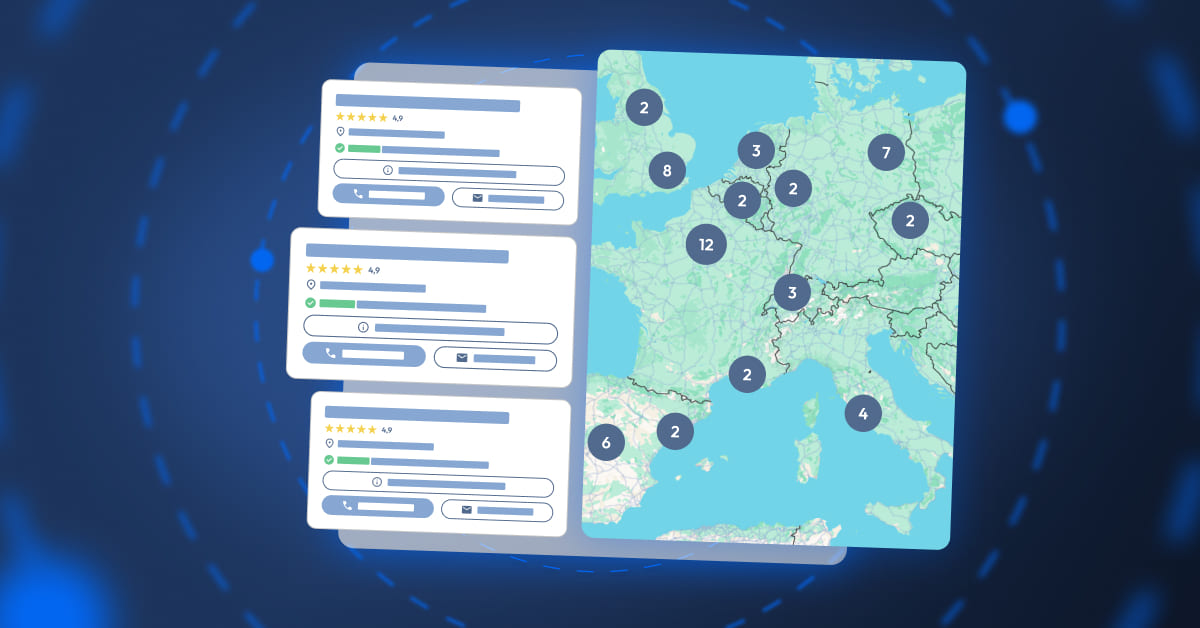
Table of contents
Nowadays, having a solid online presence is a must if you want to grab the attention of your local clientele. But the real challenge lies in creating a seamless link between your website and your physical outlets.
This is where a Store Locator proves its worth! What does it do? Turn a simple search intention into an actual trip to your store.
What is a Store Locator?
A Store Locator is a mapping solution integrated into a website, that geolocates establishments (shops, agencies, garages, etc.). It helps Internet users find the nearest establishment in a few clicks, while providing them with essential information (location data, opening hours, addresses, services, customer reviews, etc.).
A high-performance Store Locator has a 3-tiered structure to maximise natural referencing:
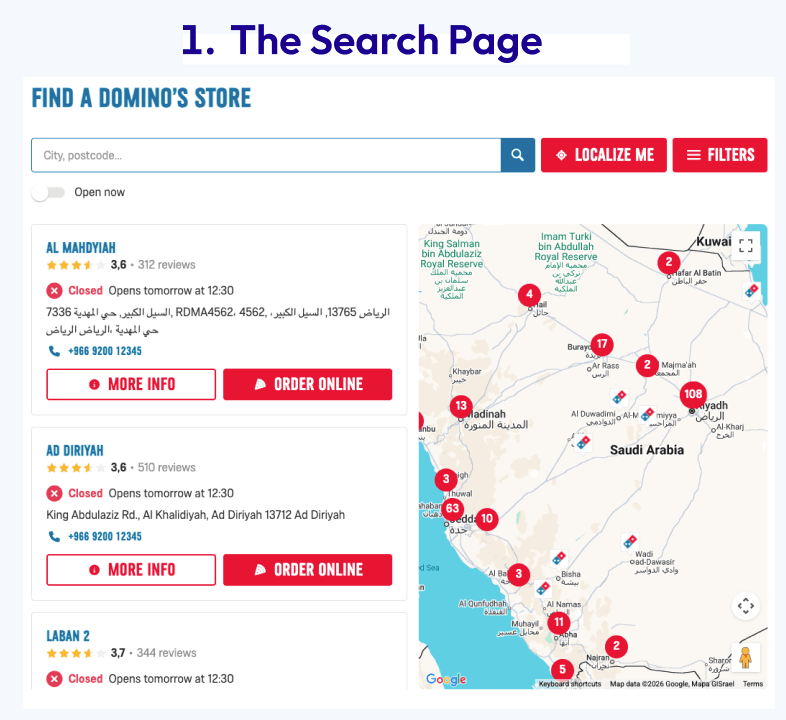
1. The search page includes a global map with a list of all establishments and an internal search engine by postcode.
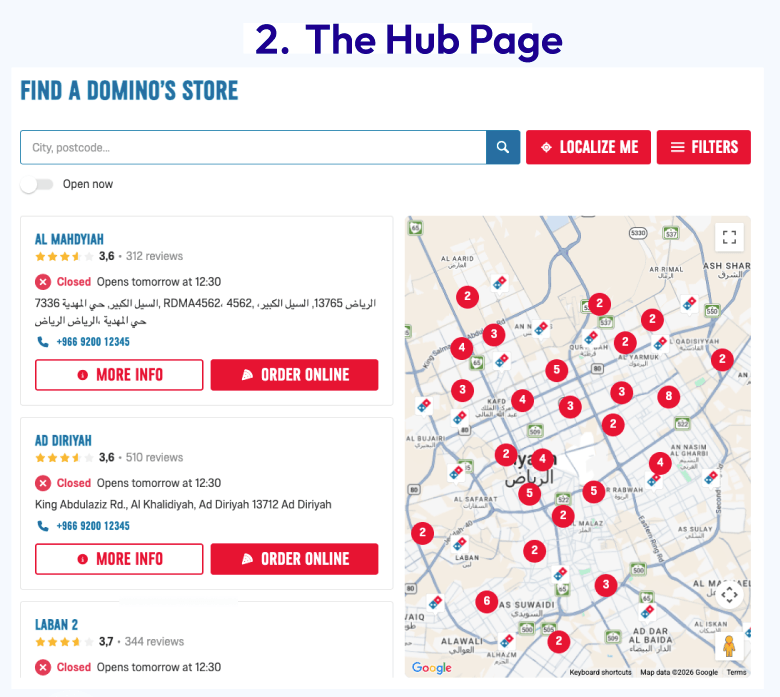
2. The hub page: this is an intermediate page that groups outlets by geographical area or service to capture broad searches (e.g. DIY store in Derby).
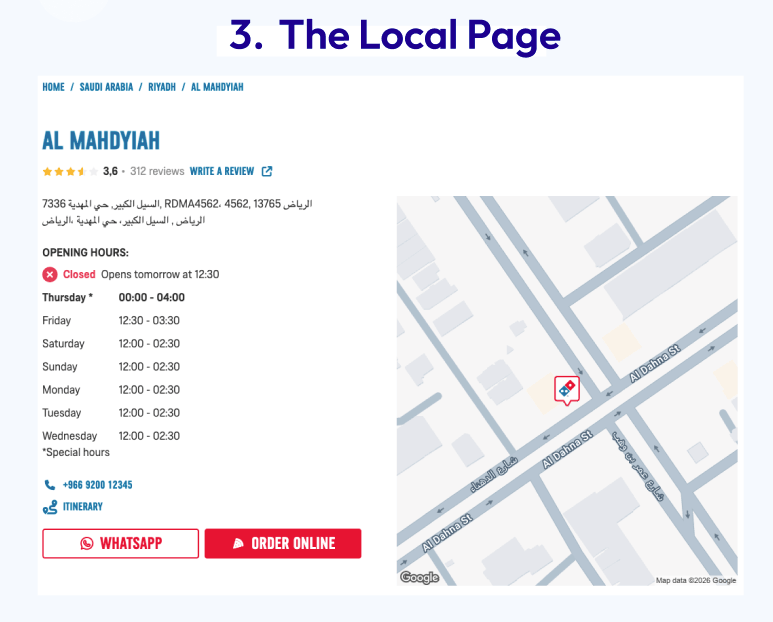
3. The local page (or establishment page): this is the outlet or establishment’s page and serves as its digital identity card.
Why is a Store Locator important for local SEO?
A Store Locator is way more than just an interactive map. It ensures accurate data consistency across the web, thanks to centralised local information (such as NAP, opening hours, photos and customer reviews, etc.).
By assigning each outlet its own URL, the Store Locator increases the number of entry points across the web. Each local page is therefore perfectly geared to proximity queries (for example, “Indian restaurant in Hendon” or “bike storage in Kensington”). It’s a powerful local SEO lever to appear exactly where customers are looking for what you have to offer.

Can you synchronise Store Locator and Google listing data?
Yup, no problem! With Partoo, you can manage information for local pages and Google listings from a single dashboard. Result: you save time, while boosting your local SEO!
Yup, no problem! With Partoo, you can manage information for local pages and Google listings from a single dashboard. Result: you save time, while boosting your local SEO!
Plus, the Store Locator enhances your site’s architecture through effective internal linking. By creating internal links between your different pages, it ensures optimal site structure, which search engine crawlers can easily read.

Did you know?
A well-structured Store Locator also ensures DMA (Digital Markets Act) compliance, meaning your brand retains control over its data with regard to Google.
A well-structured Store Locator also ensures DMA (Digital Markets Act) compliance, meaning your brand retains control over its data with regard to Google.
A major GEO lever
In our GenAI times, a Store Locator perfectly adapts to new online user search habits. Thanks to the structured data tags that make up each of its pages, it’s a significant GEO booster.
This information is a reliable source for AI, allowing it to accurately pinpoint your outlets so LLMs can then reply to user queries.

Definition
Structured data is coded “labels” that browsing users can’t see but are needed for bots to classify and display your information in a visual and relevant way.
Structured data is coded “labels” that browsing users can’t see but are needed for bots to classify and display your information in a visual and relevant way.
How to optimise your Store Locator?
Did you know that a well-designed Store Locator can drive up to 20% more traffic to your website? It needs to be optimised to achieve this level of performance, because visual aspects aside, it’s the technical quality and semantic relevance that makes all the difference.
For your Store Locator to have a strong online presence, make sure you have detailed content for each outlet, with complete, dependable, and up-to-date information that users can rely on.
Tech-wise, effective online visibility requires:
- the integration of Schema.org tags into structured data,
- meticulous metadata optimisation (title and meta description tags),
- and strong internal linking to accurately capture local intent.
By enhancing each page with relevant content (FAQs, Google Posts, customer reviews, etc.), you’ll immediately reassure users while meeting new generative AI requirements.
The user experience (UX) also plays a key role when optimising your Store Locator. It needs an ergonomic design, a mobile-first approach, and must load quickly for smooth, efficient browsing.
Why is a Store Locator the central element of a Web-to-Store strategy?
Web-to-Store is the process by which a customer prepares a purchase online before completing it in-store. A Store Locator is at the heart of this customer journey, bridging the gap between a digital process and an in-person visit by providing essential information (opening hours, stock, directions, etc.).
Web-to-Store is the process by which a customer prepares a purchase online before completing it in-store. A Store Locator is at the heart of this customer journey, bridging the gap between a digital process and an in-person visit by providing essential information (opening hours, stock, directions, etc.).
How do you measure your Store Locator’s performance?
To measure how well your Store Locator’s doing, you’ll have to do more than look at the number of sessions; you’ll need to understand how customers use it to turn a browsing session into an in-store visit.
Tools like Google Analytics 4 (GA4) can help you accurately analyse user behaviour. They do more than just analyse audience statistics, with metrics that detect crucial information about your business, such as, for example, determining which geographical areas generate the most interest or which types of services attract the most attention.
You can also track other Store Locator key performance indicators (KPIs), such as the number of clicks on call buttons, direction generation, contact (WhatsApp, forms), etc.
Another useful metric is semantic positioning for strategic and localised keywords, such as “shop near me” or “e-bike repair in Huddersfield”. Tracking keyword positioning lets you see if your local SEO strategy is working.
FAQ: Frequently asked Store Locator questions
A specialised solution, such as Partoo’s Store Locator, ensures your Store Locator and your Google listings’ data are synchronised, provide better SEO performance and include technical maintenance, unlike in-house tools that are often expensive and hard to optimise.
Using Schema.org (structured data) Markup is a must. This allows generative search engines to accurately understand that a page perfectly matches a local search.
Yes, especially since Google brought out a listing link policy update in September 2025. This change requires each outlet to have its own landing page to bolster the profile’s relevance, making a Store Locator the ideal solution to remain compliant with Google’s requirements.
The Product Locator lets you display store stocks in real time. This shows whether a product is immediately available in-store, greatly improving web-to-store conversion rates.
Yes, you can change the colours and pointers to match your company’s graphic charter via the Google Maps’ API or SaaS solutions, meaning you ensure a consistent brand experience.
The local customer experience platform built for your network
Transform the customer experience across your businesses with AI
Stay one step ahead!
Download the 2026 Barometer on online presence and e-reputation of businesses and gain practical insights to increase your chances of being cited by AI.
Subscribe to our newsletter
Receive our best articles and practical guides directly in your inbox every month