




 Help Center
 How to get help
How to delete your Google Business Profile

 Written by Partoo
Table of contents
Deleting a Google listing is never a small decision — and in the vast majority of cases, it’s not the right one.
Whether you’re selling a business, closing down, or relocating your head office, running a business inevitably comes with major changes. During these transitions, managing your online presence becomes critical. Here’s everything you need to know about deleting your Google listing.
Deleting your listing from your Google account
To delete one or more Google Business Profiles (formerly Google My Business), follow these steps:
- Check your permissions: only the primary owner can delete content and access. If you’ve just taken over the listing, note that a 7-day waiting period applies before you can carry out this action.
- Sign in to the Google account linked to your listing and search for your business name.
- Select the listing(s) you want to remove and click ‘Delete’.
Deleting your Google listing from Google Maps
You can also request removal of your business through Google Maps. To do this:
- Go to Google Maps.
- On the map, select the business you want to delete.
- Choose ‘Suggest an edit’, then ‘Close’ or ‘Remove’.
- Select the relevant option, then click ‘Send’.
Whichever method you use, once the request is submitted, deletion goes through a review process. Google may ask you to justify your request.
Good to know: any user — customer, owner, or third party — can suggest closing or deleting a listing if the information is outdated or incorrect. This applies in particular to listings that:
- never physically existed,
- breach Google’s guidelines (inappropriate content, fraud, etc.),
- are permanently closed or located at an incorrect address.
What happens when you delete your Google listing?
Deleting the content and administrators of a business listing is a permanent action that affects every owner and manager. Once you delete your listing, here’s what happens:
You can no longer manage the listing. To regain control, you’ll need to start a fresh verification process, which can be a long and tedious one.
Any active Google Ads campaigns and adverts linked to this listing are automatically deactivated.
If you’re the primary owner, the listing will also be removed from the accounts of any other users managing it alongside you.
You’ll no longer have access to performance data for the deleted listing.
Deleting your Google Business Profile: a tempting but risky move?
While the option exists, deleting your listing entirely is strongly discouraged in most cases. Here’s why it’s often a trap:
- The listing doesn’t really disappear: deleting your listing from your account doesn’t erase it from Google — it simply means giving up your ownership rights. The listing becomes an “orphaned listing” that stays publicly visible, with information that will no longer be kept up to date.
- A six-month lag: Google retains the data on its servers and may continue showing the business in search results for several months, to let users know it previously existed.
- The risk of misinformation: with no owner to manage it, any user can suggest incorrect edits to your old listing — and you won’t be able to approve or dispute them.
To regain access to a deleted Google listing, you’ll need to claim it and go through a new verification process.
When you don’t need to delete your Google listing
Wanting to delete your Google listing is often an instinctive reaction to a major change. In most cases, though, deletion is a strategic mistake that costs you valuable history. Here are the most common situations where a better alternative exists.
Is your business closing?
If your business is closing its doors, rather than deleting your Google listing and leaving an empty (or outdated, “orphaned”) listing behind, use the “mark as permanently closed” option instead.
This comes with several benefits:
- You let customers and users know the status of your business while keeping your ownership rights and information.
- Your listing stays visible, but users can clearly see the business is closed and no longer available.
- It makes things easier if you ever reopen your business one day — you keep access to all your information, photos, contact details (phone number, address, opening hours, etc.), reviews, and more.
Presence Management
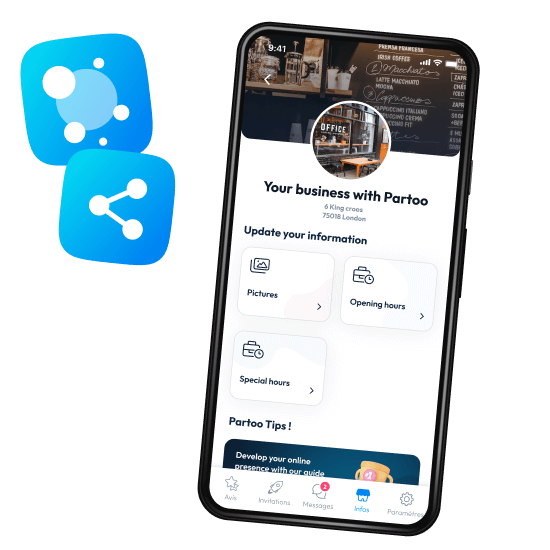
- Update your information effortlessly
- Completion guide and suggestions
- Distribute on all the platforms that count
Is your business relocating?
If you’re moving your business, there’s no need to start from scratch. A simple address update in your dashboard is all it takes. Note that Google will often request a new verification (via code or video) to confirm the new location — this is standard procedure to ensure data accuracy.
While Google verifies your new address, your listing stays visible — so you keep all the local SEO authority you’ve worked hard to build.
Are you selling your business?
If you’re selling your business, you don’t need to delete your Google listing. It’s far better to transfer ownership of the listing to the new owner.
This allows the new owner to keep the listing’s full history (posts, photos, reviews) — meaning the listing’s ranking on Google isn’t affected by the change of ownership. Keeping the listing means the new owner doesn’t have to start from scratch.

Heads up:
if you’re selling to a business operating in a different industry, it’s best to permanently close the listing instead. The new owner can then create a brand-new listing.
if you’re selling to a business operating in a different industry, it’s best to permanently close the listing instead. The new owner can then create a brand-new listing.
Have you created multiple Google listings for the same business?
Having several listings for the same location can hurt your SEO and confuse customers. However, you should not delete your profile without a clear strategy. You have several options:
- Option 1: merge the listings by contacting Google support directly.
- Option 2: report a duplicate directly via Google Maps.
Struggling to verify your Google listing?
If you’re having trouble verifying your Google listing, deletion isn’t the answer. You can contact Google support directly, although response times can sometimes be slow due to high demand.
A more effective alternative is to work with an authorised partner like Partoo to simplify and speed up the entire verification process. This way, you keep your profile intact while unlocking your visibility much faster.
Received negative reviews?
Google reviews are a powerful tool for driving recommendations, but they can also become a source of stress when the feedback is negative. Deleting your profile to wipe out criticism isn’t a recommended strategy — it undoes all the visibility work you’ve built up.
Starting from scratch means losing the account history Google uses to boost your ranking in results. You’ll also disappear from local search, and lose the trust of customers who value transparency.
The most effective approach is to respond to criticism professionally, then reach out to satisfied customers to gather fresh positive reviews. A consistent review collection strategy does far more for your local SEO than permanently deleting your listing.
promo widget
No longer want to manage your Google listing?
Whatever your level of access to the listing, you can easily remove yourself.
- If you’re the primary owner, you’ll be asked to transfer primary ownership to another user before you can remove your own access.
- If you’re an administrator, you can simply remove yourself from managing the listing.
Deletion is almost never the best option. In most situations — closing down, moving, selling, or verification issues — an update, a transfer, or marking the listing as permanently closed is all you need, and it saves you from losing valuable history. If you do decide to go ahead with deletion, make sure you’ve fully weighed up the consequences before taking the plunge.
By Partoo
You are one click away from success
Want to easily develop your business through the Internet? It’s possible thanks to Partoo!
Stay one step ahead!
Download the 2026 Barometer on online presence and e-reputation of businesses and gain practical insights to increase your chances of being cited by AI.
Continue reading ...

How to merge duplicate business listings on Google?
Have you noticed that there are two Google My Business listings for your business, and…
How to add users to your Google My Business listing?
Having a Google My Business listing can bring many benefits to a small business’s online…
Google My Business : The Complete Guide to Your Local Listing
Google My Business is an essential tool for businesses wanting to develop their local listing…
Subscribe to our newsletter
Receive our best articles and practical guides directly in your inbox every month