



 Help Center
 How to get help
Google Posts: how to maximise their impact on Google My Business


Table of contents
Google Posts have been available for all Google My Business establishment listings since 2017.
They’re extremely handy for sharing your brand’s news, events, and offers, and highlighting products.
Today, these posts are an invaluable way to communicate with your customers. One more thing to add to your list, you might say… But don’t worry, they’re a cinch to master and can boost your local SEO. When used well, they’ll enhance your online presence and in turn up your web-to-store traffic.
Here are our tips for creating Google Posts that pack a punch!
What is a Google Post?
Google Posts allow your business to publish hot topics and content on your Google listing. It’s just like Facebook’s “Newsfeed” for local pages and adds a “social” side to your branches’ listings.
It’s an effective way for sector-wide companies to engage their potential customers from the moment they start an online search.
What are the different types of Google Posts?
There are 3 different types of Posts:
- Events
- Offers
- Updates

Did you know?
During the Covid 19 pandemic, Google Posts proved to be an effective way for businesses to inform and reassure their customers about the hygiene protocols in their establishments.
During the Covid 19 pandemic, Google Posts proved to be an effective way for businesses to inform and reassure their customers about the hygiene protocols in their establishments.
So, before you sit down to write a Google Post, you need to think about what information you want to share with your potential customers. Some businesses prefer to vary their posts, while others focus on a single category. It’s up to you to decide what suits your business!

Where do Google Posts appear?
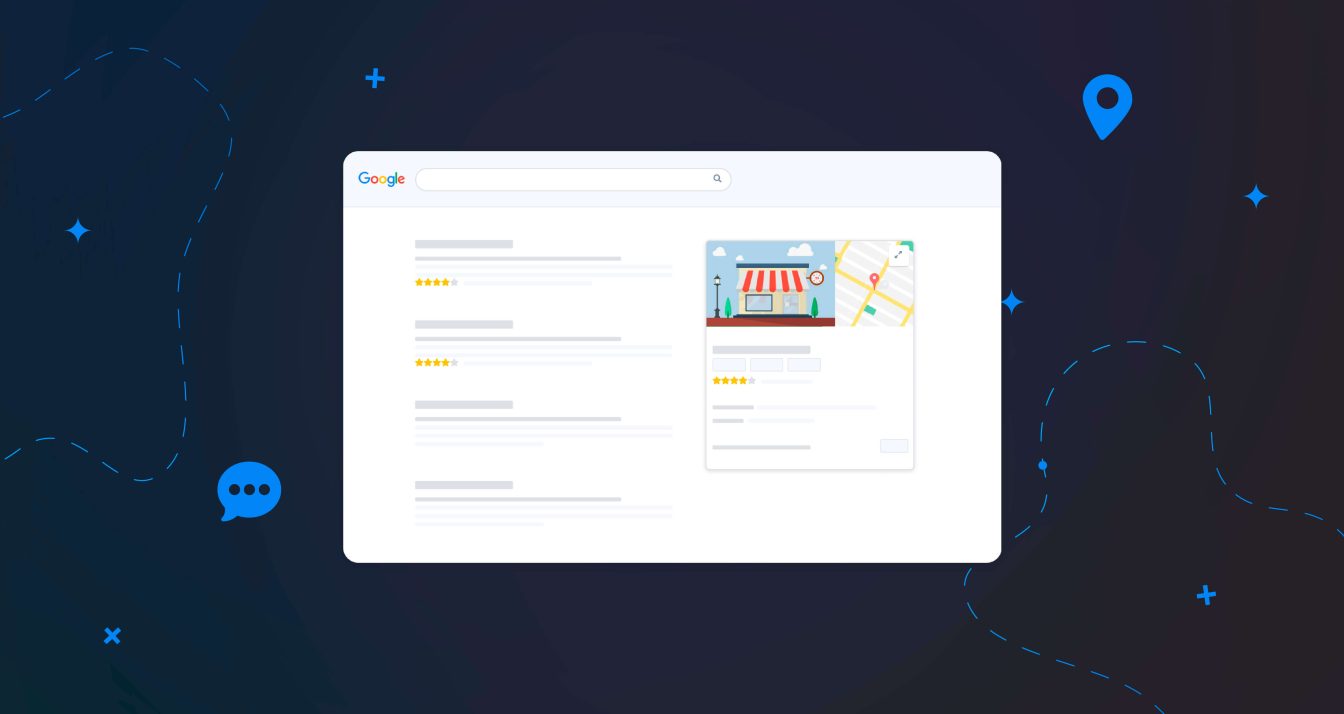
If you use a desktop, Google will display your post below your Google Business Profile’s description. For mobile devices, you can find Google posts by clicking the “By owner” button underneath the establishment’s photo.


Good to know
Google displays posts for 6 months before archiving them (they used to be only visible for a week).
Google displays posts for 6 months before archiving them (they used to be only visible for a week).
Google recently launched a new feature designed for mobile devices. This tech upgrade automatically displays social media posts (Facebook, Instagram) in your Google Posts section.
However, this feature is currently limited to restaurants and bars located in Australia, Canada, New Zealand, the UK and the USA.
Which business sectors can publish Google Posts?
Certain business sectors, notably health (pharmacists, cosmetic surgeons, etc.) aren’t allowed to publish Google Posts.
In the past, retailers selling CBD products weren’t allowed to publish Google Posts, but this restriction has been lifted. So nowadays, CBD product retailers are free to publish content via Google Posts.
Hotels, on the other hand, cannot publish “Offer” type Google Posts.
What’s the point of Google Posts?
Companies and Google My Business owners often overlook Google Posts. And yet they’re a super-efficient way to communicate with internet users and improve your customer relationship.
Use Google Posts to connect with people
Google Posts mean you can, among other things:
- announce sales or discounts thanks to Offers posts,
- promote an event (such as an open house or a private sale) with the Events posts,
- publish your company news (new team member, store makeover) thanks to the Updates posts,
- or let people know about specifics, such as your store being temporarily shut, etc.

Word of warning!
If you change your regular opening hours or shut your outlet for a specific reason, you’ll need to do more than publish a Google Post. You must update its specific opening hours and temporary closures on your listing.
If you change your regular opening hours or shut your outlet for a specific reason, you’ll need to do more than publish a Google Post. You must update its specific opening hours and temporary closures on your listing.
You should therefore see Posts as an effective way to tell your customers about current and upcoming offers and events. This will enhance your online presence, grab the attention of potential customers and retain your existing customer base!
Use Google Posts to improve your local SEO
Google Posts are an important online visibility lever. Google favours establishments that have fully complete and well-optimised listings. Publishing Google Posts sends a positive signal to the search engine. It tells the algorithms your business is active and relevant, which could give you an edge over your competitors – particularly useful if they haven’t latched on to the power of Posts…
One-click Google Posts
Partoo will cross-post your content on Facebook, Instagram and Google Posts: share your content wherever your customers are in a single click!
With Partoo+, you can get three posts written and published each a month. We take care of everything!
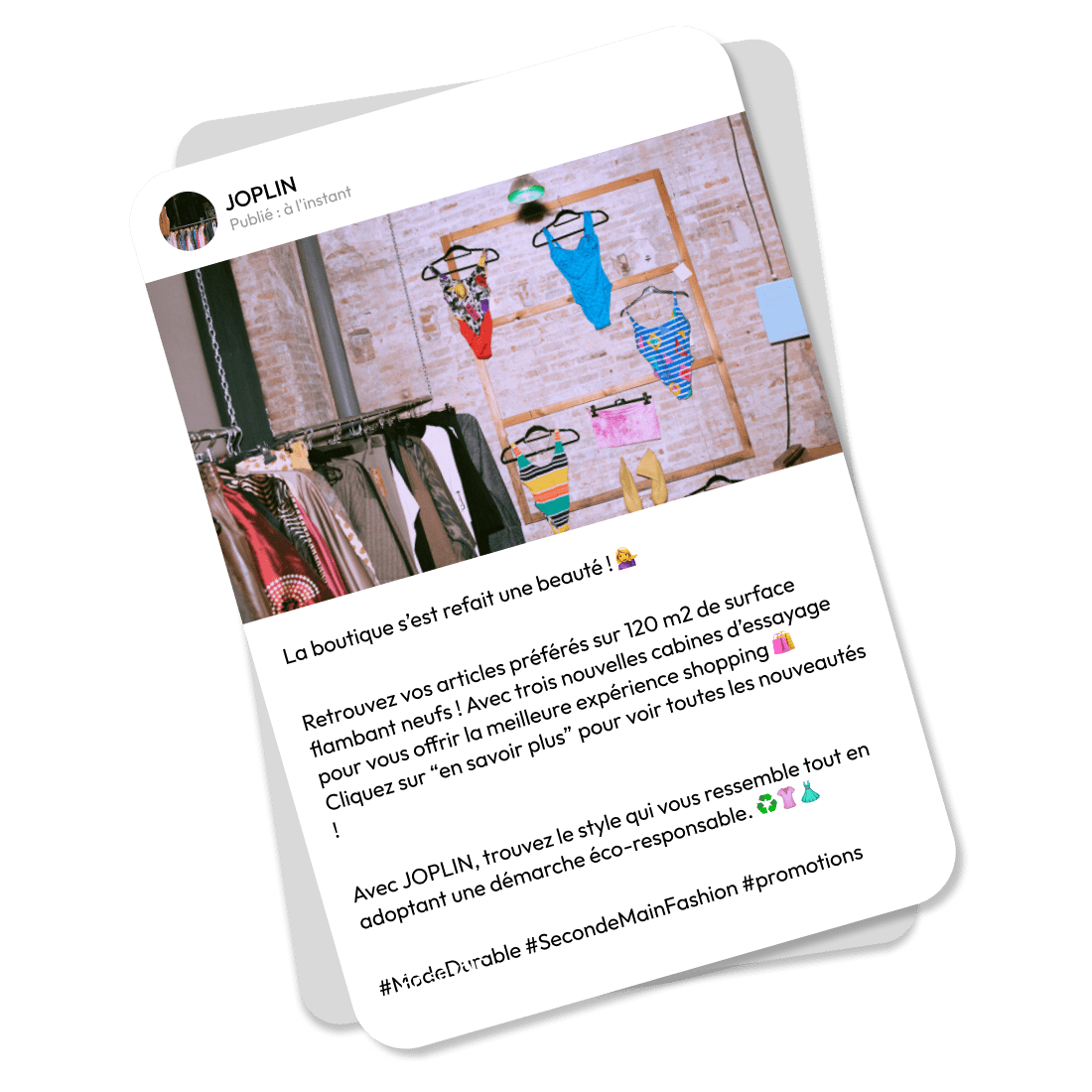
What should you include in a Google Post?
Posts should be brief, to the point and well-written if you want to engage Internet uses and boost your Google ranking.
They should include:
- One or more high-quality photos illustrating the Post’s content

New!
You can now use AI to tweak your photos! The “AI background” option on Google Maps posts is now available in some regions. You can select a theme and then generate an eye-catching background in a single click
You can now use AI to tweak your photos! The “AI background” option on Google Maps posts is now available in some regions. You can select a theme and then generate an eye-catching background in a single click
- A relevant title (up to 58 characters).
- A descriptive text up to 1,500 characters long.
- A call to action (CTA) button, such as “learn more”, “book online”, “call”, “I’m interested”…
- Your chosen URL for the button in question. You can add a UTM in the URL if you want to track your Google Posts’ performance.
Word of warning
We recommend you don’t insert a phone number or a URL link in your posts’ description, as Google may reject the post. Instead, add the “call” button, which automatically displays the phone number associated with your verified establishment listing.
We recommend you don’t insert a phone number or a URL link in your posts’ description, as Google may reject the post. Instead, add the “call” button, which automatically displays the phone number associated with your verified establishment listing.
Note that the “dos and don’ts” differ depending on the type of Google Post you plan to publish. This table summarises the information you need to complete according to the chosen Post category (event, offer, or updates).

How do I publish a Google Post?
Here are the steps to publish a Google Post:
1. Log into your Google My Business account and select the relevant outlet.
2. Click on “Add Post” or “Posts” from the menu.

3. Go to the “Add update” screen. You can choose the post category, then add photos, dates, text and a button to your post. Simply click on each field and enter the required information.


4. Once your post is created, click “Preview” so you can give it a once over. If you’re happy with it, click “Publish” in the bottom right corner of the screen.
Publish Google Posts on your Store Locator with Partoo
Thanks to the Partoo platform, you can publish Google Posts simultaneously on your Google Business Profiles and your Store Locator local pages. It’s a powerful tool that lets you share your news in just a few clicks across multiple online channels.
Thanks to the Partoo platform, you can publish Google Posts simultaneously on your Google Business Profiles and your Store Locator local pages. It’s a powerful tool that lets you share your news in just a few clicks across multiple online channels.
What happens next?
Google will review your post as the search engine needs to confirm you haven’t violated Google Posts rules .
You can also track the status of your post:
The post has been published on your listing and users can see it.
The post is being imported or processed by Google and is not yet visible on Google search or Maps.
The post cannot be seen by Internet users and a question mark next to its status indicates the post’s content does not respect Google’s regulations.IMAGE3.
Save precious time by scheduling your Google Posts
You can boost productivity and keep in regular touch with your customers by scheduling Google Posts in advance. This feature allows you to create multiple posts in one go and then program them to be published on specific dates according to your marketing calendar. An ideal way to get on top of your big news such as a promo, a product launch, or an upcoming event.
When creating your post, you’ll find the “Schedule this post” option just below the “Description” section. With just a few clicks, you can select your post’s publish date and time to align with your marketing plan. This flexibility means you can maintain a continuous online presence, even during peak periods.

You can schedule your posts up to a year in advance whatever the Google Posts format: updates, offers, and events.
How to keep abreast of a Google Post’s performance?
Analysing your post’s stats means you can measure its reach and level of engagement.
- The number of views corresponds to the number of Internet users who have viewed your post.
- The number of clicks corresponds to the number of people who clicked the button. It’s a useful way to track your post’s user engagement and interest.
You can access these stats via your Google listing’s admin dashboard.
Meticulous optimisation makes all the difference if you want to top search results! Publishing Google Posts is one of many ways to optimise your Google profile, and by extension, power up your local SEO.
The local customer experience platform built for your network
Transform the customer experience across your businesses with AI
Stay one step ahead!
Download the 2026 Barometer on online presence and e-reputation of businesses and gain practical insights to increase your chances of being cited by AI.
Continue reading ...
Photos in Google My Business: everything you need to know
What kind of photos to upload to a business profile? How to remove a photo…
How to choose the right category for your Google listing?
Google My Business offers a variety of tools designed to develop your business’s online presence…
Google Street View and how it can change your business
A Google My Business profile with high quality photos can improve the user experience and…
A complete beginner’s guide to Google’s local service ads
Are you interested in doing online paid advertisements for your small business? Google’s new Local…

How to add a menu to your Google listing?
Being the most searched businesses on Google, restaurants need to offer as much information as…
Subscribe to our newsletter
Receive our best articles and practical guides directly in your inbox every month