


 Help Center
 How to get help
October 22, 2026
Partoo’s Local Pack now appears in Google search results
Since 18 September 2026, Google has been displaying Partoo’s Local Pack for many local searches…


Powered by Jim
Table of contents
Categories and attributes are used to describe your establishment and activities. They are essential for a higher ranking of your Google My Business (GMB) listings.
The categories define under which query your store will appear in search results.
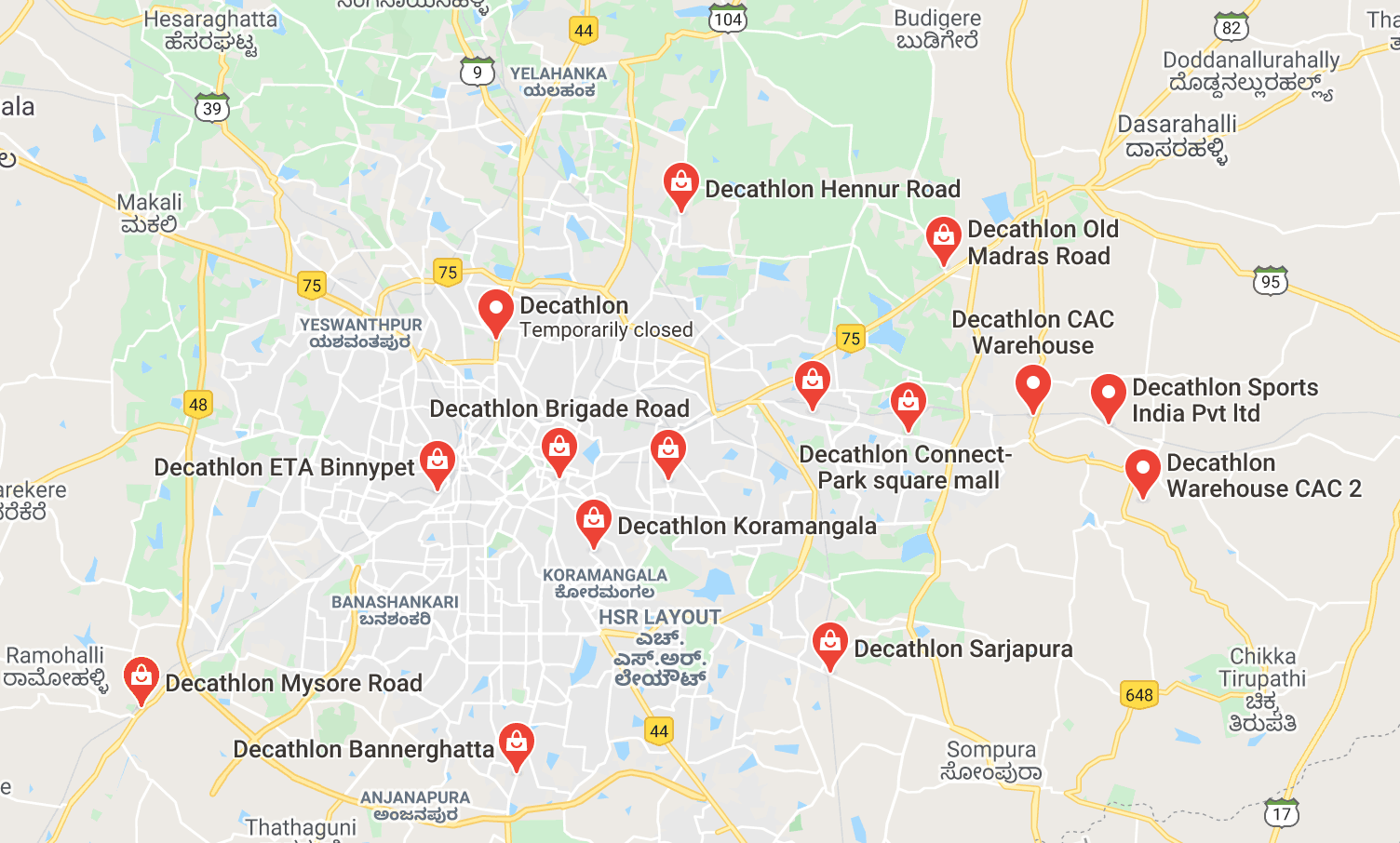
The main category corresponds to your “location label”, i.e. the icon that is displayed on the Google Maps, as shown in the picture below.
It must concern your establishment as a whole. For example, if your establishment is a hospital that has a restaurant, do not add the category “restaurant” to your form.
For each of your establishments, you will have to choose one main category and up to 9 secondary categories.
Decathlon’s example below shows you the importance of multiplying the categories to appear on various requests (workout equipment, rain jackets, pollution masks, etc.):
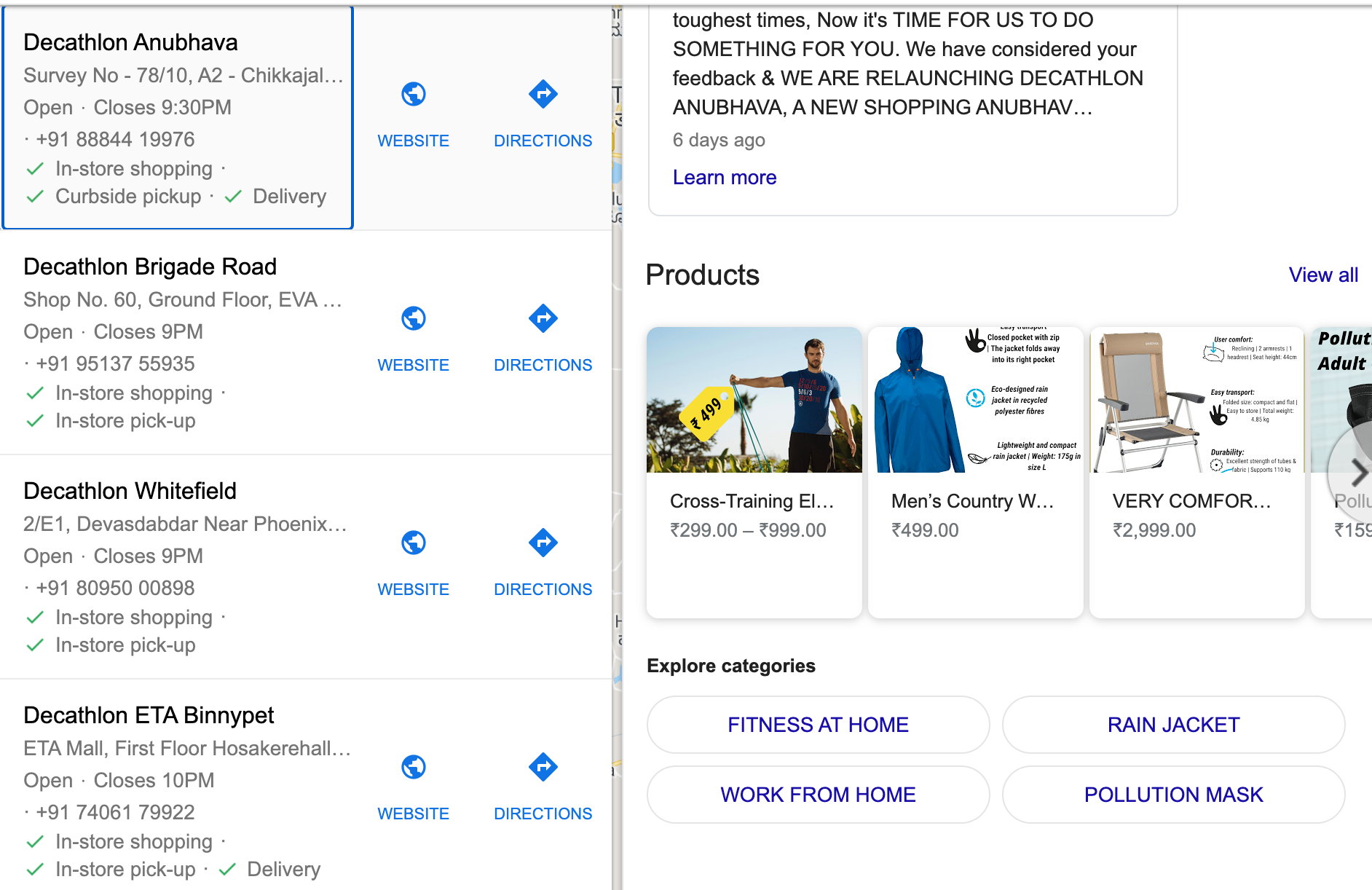
The aim is to improve your Local SEO by placing you on as many queries as possible, all of which target one aspect of your business.
As of 2016, Google has launched a new feature that allows you to add attributes to the Google My Business listings of retailers. These have a strong impact on your natural referencing, provided you know how to use them.
Attributes are features that allow users to know what your establishment offers. They appear in the form of pictograms on the Google My Business pages or on Maps, as in the photo below.
The list of available attributes varies according to the type of outlet. For example the attribute “terrace” will not be available for a bank branch. Generally speaking, the eligibility for different attributes therefore depends on the main category of your sign.
The attributes are mainly used to improve Google’s algorithm to enable the search engine to return proposals that better correspond to the expectations of users. For example, when you search for “bar with Wifi” or “pizzeria with terrace”, your establishment will have a better chance of being displayed if you have completed your attributes on this subject!
Also note that if you add attributes, it will help you to naturally move up in the search results since Google will know that you are working on this subject and that the information for your outlet will be more likely to be up to date than those of your competitors.
There are 2 types of attributes.
They can be modified by the owner of the Google My Business listing and report objective characteristics about the establishment.
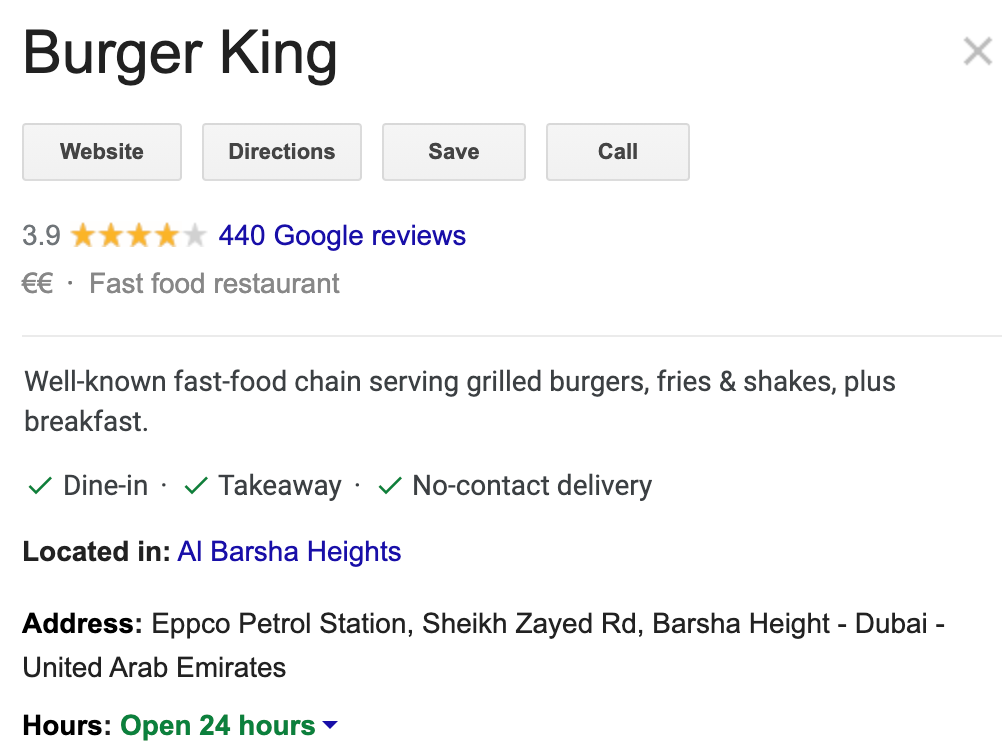
For example:
Accessibility attributes: To indicate whether the point of sale is wheelchair accessible, whether there is a lift, a car park, etc.
Payment attributes: To indicate which types of payment are accepted. For example, credit card, cheques or mobile payment.
Service attributes: Often services such as wifi, changing rooms or toilets.
Services specific to catering: delivery, brunch, rooftop, terrace, fireplace, concert, booking possible, etc.
Offer attributes: Strongly dependent on the category, this will be for example: “new car sale”, “second-hand car”, “oil change”.
Customer attributes: Specifies whether the sign is adult-only, family-friendly, LGBT-friendly etc.
For example, you can’t change them:
Quality attributes: relating to a service or product offered by the establishment.
Atmosphere attributes: e.g. “relaxed”, “festive atmosphere” etc.
To add attributes to your listings, go to your Google My Business account, in the Info > Add attributes > Edit section.
You will of course be able to re-modify your attributes if necessary from your account.

Marketing Manager
Transform the customer experience across your businesses with AI
Download the 2026 Barometer on online presence and e-reputation of businesses and gain practical insights to increase your chances of being cited by AI.
Since 18 September 2026, Google has been displaying Partoo’s Local Pack for many local searches…
Google updated the appearance of its search results page in Europe on 8 September 2026…
Choosing the right voice of customer platform can transform how you manage CX, provided you…
Receive our best articles and practical guides directly in your inbox every month