




 Help Center
 How to get help
How to manage Google Business Profiles for multiple locations?
Table of contents
Google My Business (or Google Business Profile) is a powerful tool for making your business known: it lets you showcase your outlet’s information in search engine results and on Google Maps — without customers ever needing to visit your website. It’s a valuable ally for your online visibility and a great way to strengthen your local SEO.
But how do you easily manage several business listings? In this article, we’ll show you how to manage the listings for companies with multiple physical locations.
Google My Business for businesses with fewer than 10 locations
If your business has fewer than 10 locations and you want to set up a Google My Business listing for each one, you’ll need to do this manually.
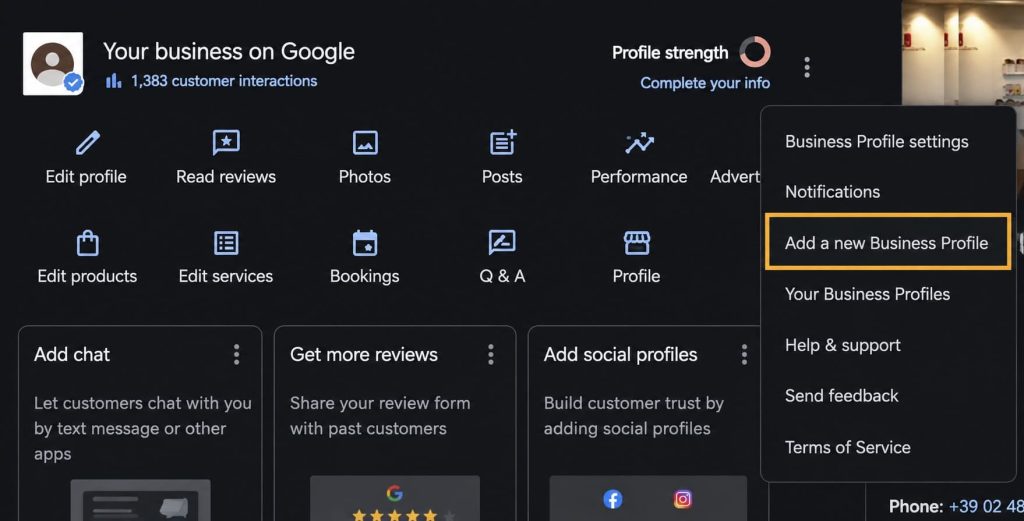
If you already have a Google My Business listing, simply add new business profiles:
- Go to your listing manager;
- Click the three dots at the top of the menu;
- Select “Add a business listing”;
- Enter the usual required details (business name, address, category, phone number, etc.).
Unfortunately, for businesses with fewer than 10 locations, Google doesn’t offer a way to manage multiple listings at once: each listing has to be managed individually. This means you’ll need to check, complete and optimise every listing you add to your Google My Business profile.
Managing lots of Google listings by hand unfortunately takes plenty of time and effort. To keep each listing visible on Google, you need to make sure the information stays up to date, publish regular news updates via Google Posts, and respond to customer reviews. That’s where Partoo’s management solution comes in!
Partoo lets you centralise and manage all your business listings from a single platform. This makes the whole process much simpler, letting you quickly update information across all your outlets and respond to customer reviews from one single interface. With Partoo, you’ll save valuable time and make sure all your listings stay up to date and well managed!
Presence Management
- Update your information effortlessly
- Completion guide and suggestions
- Distribute on all the platforms that count
Google My Business for businesses with 10 or more locations
If, on the other hand, you own a business with 10 or more locations, the process is simpler. You can add new listings as explained above and, once they’re created, manage them all together.
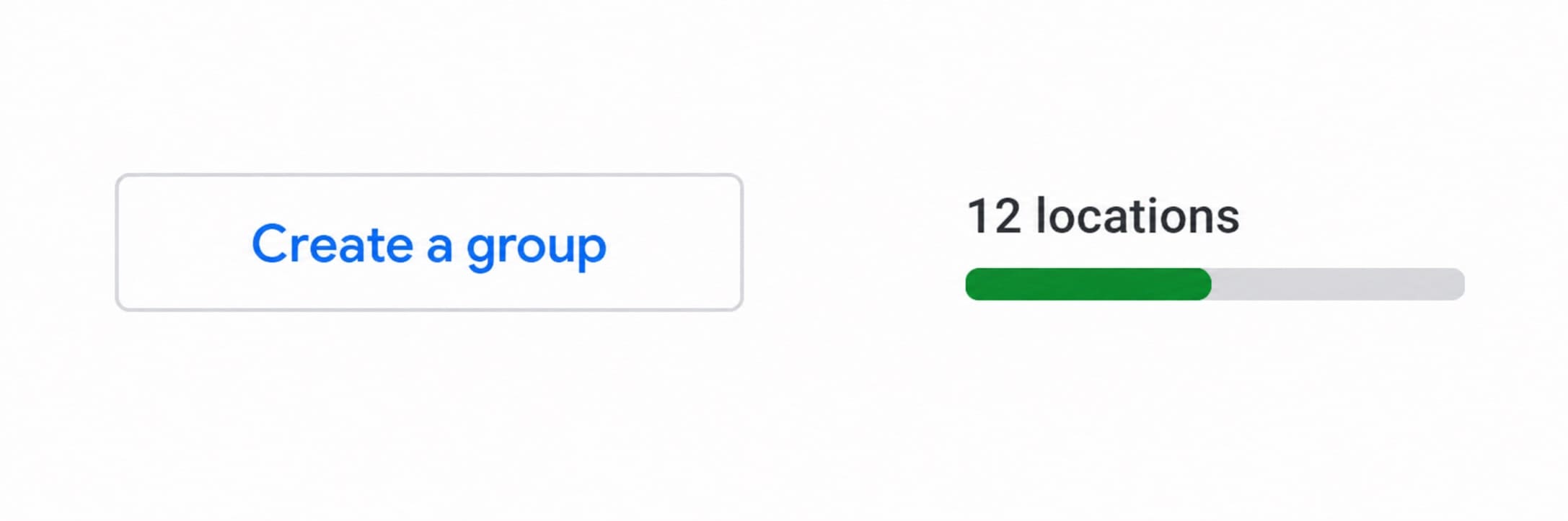
Google allows businesses with at least 10 outlets to create a “location group”. By creating a location group on Google My Business, you can view all your listings in one place, manage them and update their information collectively. You can also share the management of your listings with several members of your team or other users.
To create a Google location group:
- Go to your listing manager;
- Click the “Create a group” button, in the top left corner;
- Enter the group name;
- Click “Create”;
- Start adding locations.

Important!
A location group can only be created for listings that share the same category and business name.
A location group can only be created for listings that share the same category and business name.
Rank Higher on Google: Optimise Your Listing
Discover the complete guide to Google Business Profile optimisation, featuring exclusive expert advice and actionable checklists to boost your local visibility.
The local customer experience platform built for your network
Transform the customer experience across your businesses with AI
Maximise your local SEO and GEO visibility
Sync your business information across Google and AI engines to make sure customers can find you wherever they search.
Continue reading ...
Google My Business : The Complete Guide to Your Local Listing
Google My Business is an essential tool for businesses wanting to develop their local listing…
A practical guide to Google My Business listing
If you do not already have a Google My Business listing for your business you…
How to create a Google My Business listing
Google My Business is a free tool Google provides, and it is easy to create….
Why is your Google My Business listing not showing up?
Having a Google My Business listing for your small business can certainly help build your…
Subscribe to our newsletter
Receive our best articles and practical guides directly in your inbox every month