



 Help Center
 How to get help
Store locator: what should my local pages contain?
Table of contents
You manage a network of outlets and have invested in a Store Locator to make it easier for customers to find you. Wise move! But then you ask yourself, “Will just having my address and phone number on my local pages do the trick?”
Your local pages are far more than just fact sheets: well-built local pages directly drive in-store traffic and improve your visibility to search engines.
In this article, we’ll look at the elements you should include on your Store Locator’s local page and how to gear them for SEO / GEO.
What is a local Store locator page?
A Store Locator is a tool on your website that lets your customers quickly find their nearest outlet or branch. It generally comprises three levels: an index page (often in the form of an interactive map) that gives an overview of your establishments, a “hub” page that groups establishments by region or service, and local pages, with one per establishment that contains all the information specific to that address.
The importance of local pages cannot be understated.
A local page is a page that’s dedicated to a specific outlet or branch. It has its own URL, its own content, and is indexed separately by search engines. This means it will be ranked when search engines receive geolocated queries such as “chemist open now in London W10” or “Renault Bristol dealership”, which are examples of research intents with a high sales potential.
Regarding your “web-to-store strategy” each local page is an autonomous digital entry point to your physical network. Users don’t need to trawl through your e-shop’s home page to find an outlet: it directly captures users during the decision-making phase, while they are browsing Google Maps, using search engines, or even asking questions on GenAI platforms such as ChatGPT or Gemini.
This is why the content of these pages needs to be finely tuned. A well-built local page works like a physical shop or branch, except that it exists on the web – and it converts customers too!
The essential elements for a local page that performs well
An effective local page has two aims: meet the expectations of users looking for accurate information and send the right signals to traditional and GenAI search engines so it’s displayed at exactly the right time. These two aspects work in tandem: a well-thought-out page designed for a seamless user experience is usually optimised to boost local SEO.
Here are the five essential elements to include on each Store Locator page:
1) Essential information about the outlet
Including basic information may seem obvious, but it’s also where many brands slip up to the detriment of their online presence!
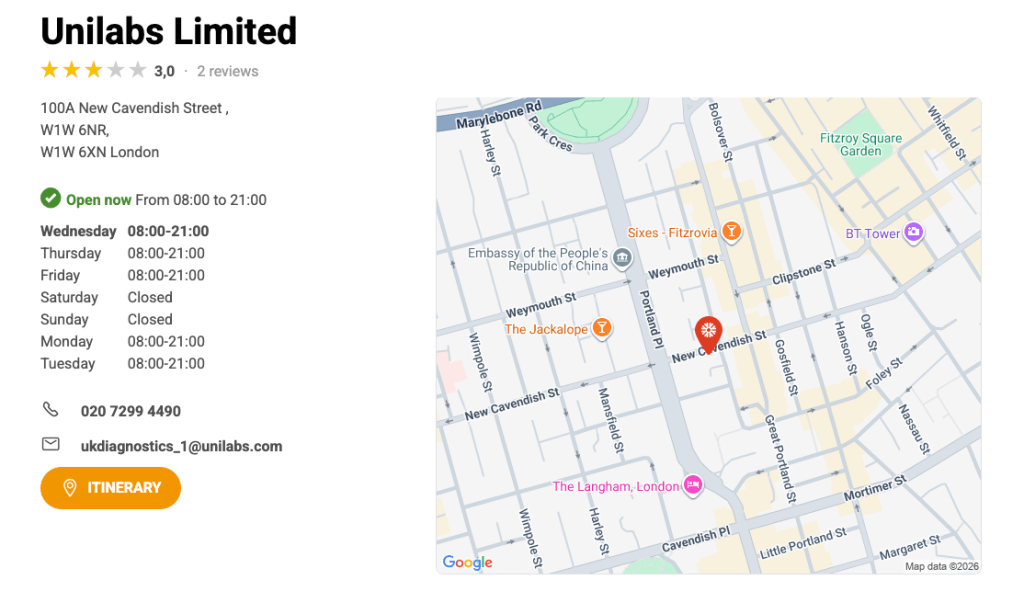
Each local page must clearly display immediately visible information: the name of the establishment, its full address (street, postcode, town/city), a clickable phone number, and a link to Google Maps so users can easily get directions. These four elements form what local SEO specialists call the NAP: Name, Address, Phone number.
What makes the NAP so important is its consistency. Google constantly cross-references local page information with Google Business Profile listings, social networks, and online directories. If your address is worded differently on various platforms (“Wallingford Avenue” on some, “Wallingford Ave” on others) you may confuse search engines and negatively affect your local ranking.
Centralised management of this data is therefore key if you have a network of physical outlets: a single synchronised update for dozens or hundreds of pages can have a measurable positive impact on your online visibility!

Do you know?
Partoo’s Presence Management synchronises data from your Google listings and local Store Locator pages to ensure maximum consistency!
Partoo’s Presence Management synchronises data from your Google listings and local Store Locator pages to ensure maximum consistency!
2) Photos
Photos often play an underestimated role in web-to-store strategies. Yet they are among the first things a user looks at before deciding to visit an establishment.
Ideally, each local page should include at least three types of photos:
- the storefront so that the customer can recognise the establishment once on site.
- the inside, to give an idea of the atmosphere and the type of products available.
- and, if relevant, the team, to add a human touch and create a sense of “closeness”.
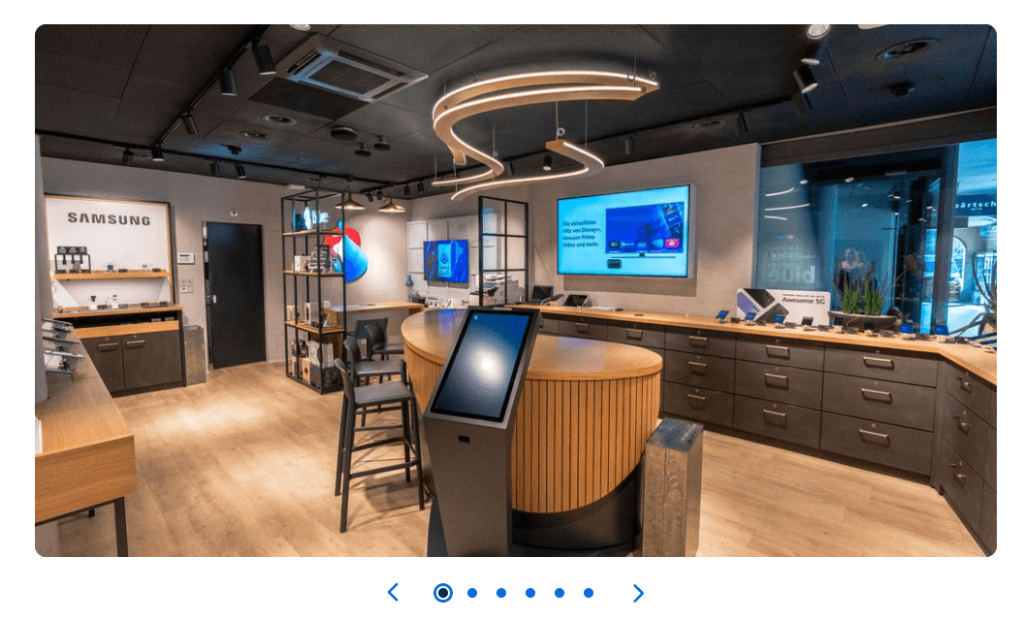
The user experience aside, photos also impact local SEO. You should respect two technical best practises: describe and geolocate each image (for example, bakery-kensington-london-7.jpg rather than IMG_4582.jpg) and add alt tags with contextual information, including the city and the type of establishment.
Finally, you should factor in Google Maps by ensuring the photos you post on your Store Locator’s local pages are synchronised with your Google Business Profile listing. A profile with lots of recent visuals will be prioritised by Google in local results and reassure users who are deciding whether to visit your establishment.
3) Opening hours
Opening hours are the most viewed information on a local page… and very often, one of the most poorly managed by networks with various outlets!
Users who want to see if your store is open are often about to decide which one to visit. If information is missing, incorrect or not up to date, they’ll go elsewhere, most likely to a competitor with a reliable local page! So, your opening hours are not just about your local SEO; they drive traffic to your store.
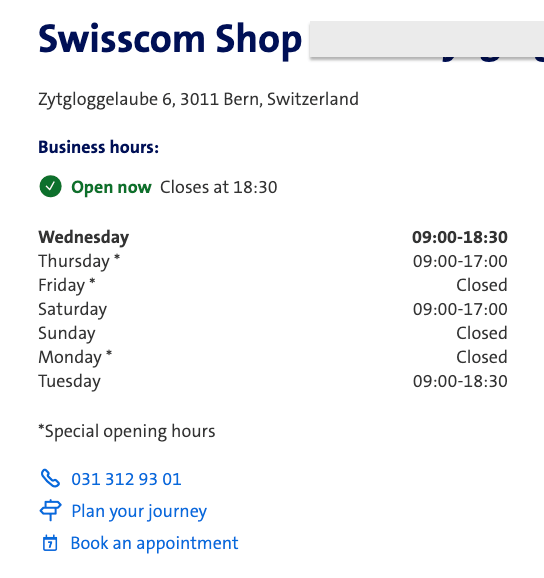
The opening hours displayed on your local pages must be accurate, complete, and always kept up to date. This includes your usual hours, but also special hours (public holidays, holiday closures, temporary closures, etc.). A customer who goes to a shop that hasn’t updated its hours only to find it shut will not return, and even worse, will probably leave a bad review.
In terms of local SEO, Google attaches particular importance to the reliability of opening hours. Search engines will consider your establishment dependable if your opening hours are the same on your store locator’s local page, your Google Business Profile listing, and other online directories. Likewise, if your opening hours are inconsistent, you’ll miss out on highly targeted searches.
4) The services offered by the establishment
Accurately describing exactly what each outlet offers makes the difference between a generic local page and a high-performing local page. So, this largely depends on the services available.
Click & collect, drive-thru, instant quotes, catering service… Each establishment has its own specific attributes. Detailing them on the local page will ensure users know exactly what to expect before they visit. This improves customer conversion and in-store traffic!
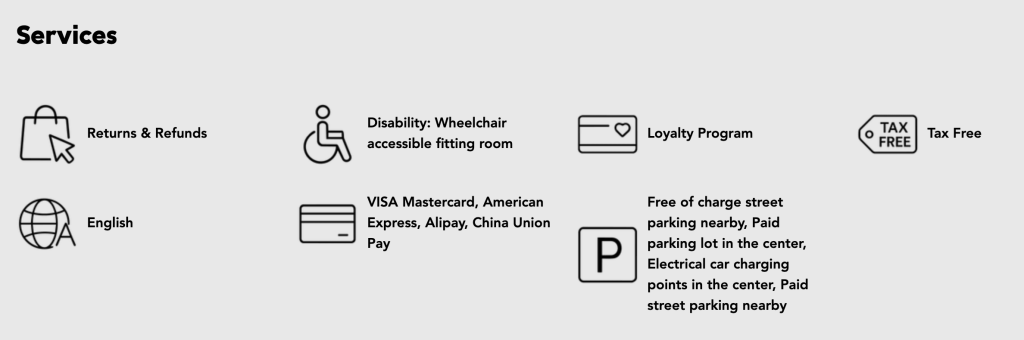
The stakes are just as high for local SEO. When each local page describes site-specific services, it naturally generates unique content for each page, which Google in turn values. On the other hand, if local pages are all identical, with the same text on every outlet’s page, they won’t stand out in search results.
Finally, the services listed on your local page will form a valuable strategic connection between your e-shop and your physical stores. A user who browses your site and discovers their nearest store offers the service they’re after will have every reason to pop into that outlet.
This means your Store Locators’ local pages are a core part of your web-to-store strategy!
5) Customer reviews
Customer reviews are probably the most influential elements regarding a user’s decision… and one of the most powerful SEO signals for traditional and GenAI search engines. So, embedding them in your local pages is non-negotiable!
In practical terms, an effective local page should display the outlet’s average rating and the most recent reviews. These should be immediately visible without the user needing to leave the page. A customer hesitating between two nearby outlets will almost always choose the one with the most solid and recent online reputation. Having fresh reviews is as important as the number of reviews: having loads of reviews from two years ago is less reassuring than a handful of recently posted ones.
In terms of local SEO, Google factors in reviews when ranking establishments. Their number, their frequency, their average rating, AND the way a brand responds to them all affect local ranking. Responding to reviews, both positive and negative, tells algorithms and users that you care and are serious about your business, which will work in your favour.

Sync your reviews between your Google listings and your local pages!
Ensure consistency between the reviews displayed on your Store Locator’s local pages and your Google Business Profile with Partoo’s Review Management tool!
Ensure consistency between the reviews displayed on your Store Locator’s local pages and your Google Business Profile with Partoo’s Review Management tool!
How to optimise your local pages for local SEO /GEO?
Having complete, comprehensive local pages on your Store Locator is a prerequisite. But for them to really perform across traditional and GenAI search engines, they need to follow some optimisation golden rules.
1) Structure your URLs
A clear URL enhances local SEO and improves the user experience. The recommended format is simple: “/store/city/establishment-name/”. Avoid automatically generated URLs with digital identifiers like “/store?id=4872”, which don’t give search engines valuable semantic information!
2) Use Schema.org structured data
Structured data refers to coded markups (AKA tags) embedded in pages to help search engines accurately understand their content. For local pages, the schema to use is “LocalBusiness”. It’s a way to confirm an establishment’s details (address, hours, telephone number, services) in a format that Google can read and use directly in its results.

Everything you need to know about Schema.org Markup!
Learn all the essentials about Schema Markups in our article!
Learn all the essentials about Schema Markups in our article!
3) Fine-tune internal linking
Your local pages shouldn’t be silos. Consistent internal linking between your Store Locator’s index page, regional or state/county hub pages and each local page will strengthen the overall structure of your site and help search engines crawl and correctly index all your pages.
4) Make your pages mobile-friendly
Most local searches are done on smartphones when users are often on the move. A local page that loads slowly or doesn’t display well on a mobile device is far less likely to convert customers, and sends a negative signal to Google, which nowadays indexes mobile rather than desktop versions.
5) Make your local pages’ content GEO-friendly
This is the most recent lever, and likely to be the game-changer in the coming months. Search engines that rely on generative AI draw their search results from well-structured, dependable, and comprehensive content. A local page that contains all relevant information, in a clear and consistent format, is much more likely to be cited in a GenAI response than incomplete or poorly organised pages.
In other words, optimising your Store Locator for GEO means fine-tuning your local SEO to the max: reliable data, unique content, perfect technical structure.
Brands that are currently focusing on the quality of their local pages are getting a head start with a marketing channel that will increasingly influence their physical outlets’ online presence!

By Partoo
The local customer experience platform built for your network
Transform the customer experience across your businesses with AI
Stay one step ahead!
Download the 2026 Barometer on online presence and e-reputation of businesses and gain practical insights to increase your chances of being cited by AI.
Subscribe to our newsletter
Receive our best articles and practical guides directly in your inbox every month