



 Help Center
 How to get help
How to optimise your store locator’s structure?
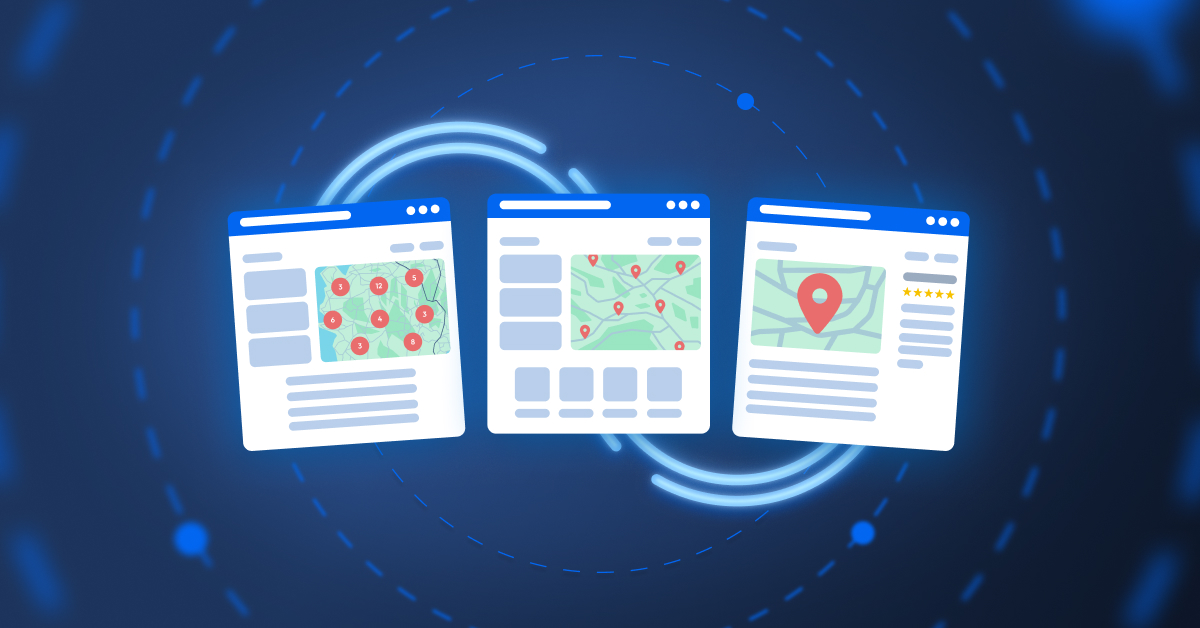
Table of contents
Did you know that 71%* of online users visit a brand’s website before popping into a store? Which means your store locator is way more than a humble map: it’s a customer conversion tool that links a digital experience with an in-person visit!
But for it to work, its architecture must use an optimised three-tier structure. This structure gives users quick access to information and spreads the “SEO juice” from your home page to your establishments’ listings, while meeting search engine requirements. Read on to find out all you need to know!
Tier 1: The search page
The search page is your store locator’s main page. It provides an overview of all the establishments you own. It’s usually found in your website’s header under an anchor such as “Our stores”, “Find us” or “Find an agency”.
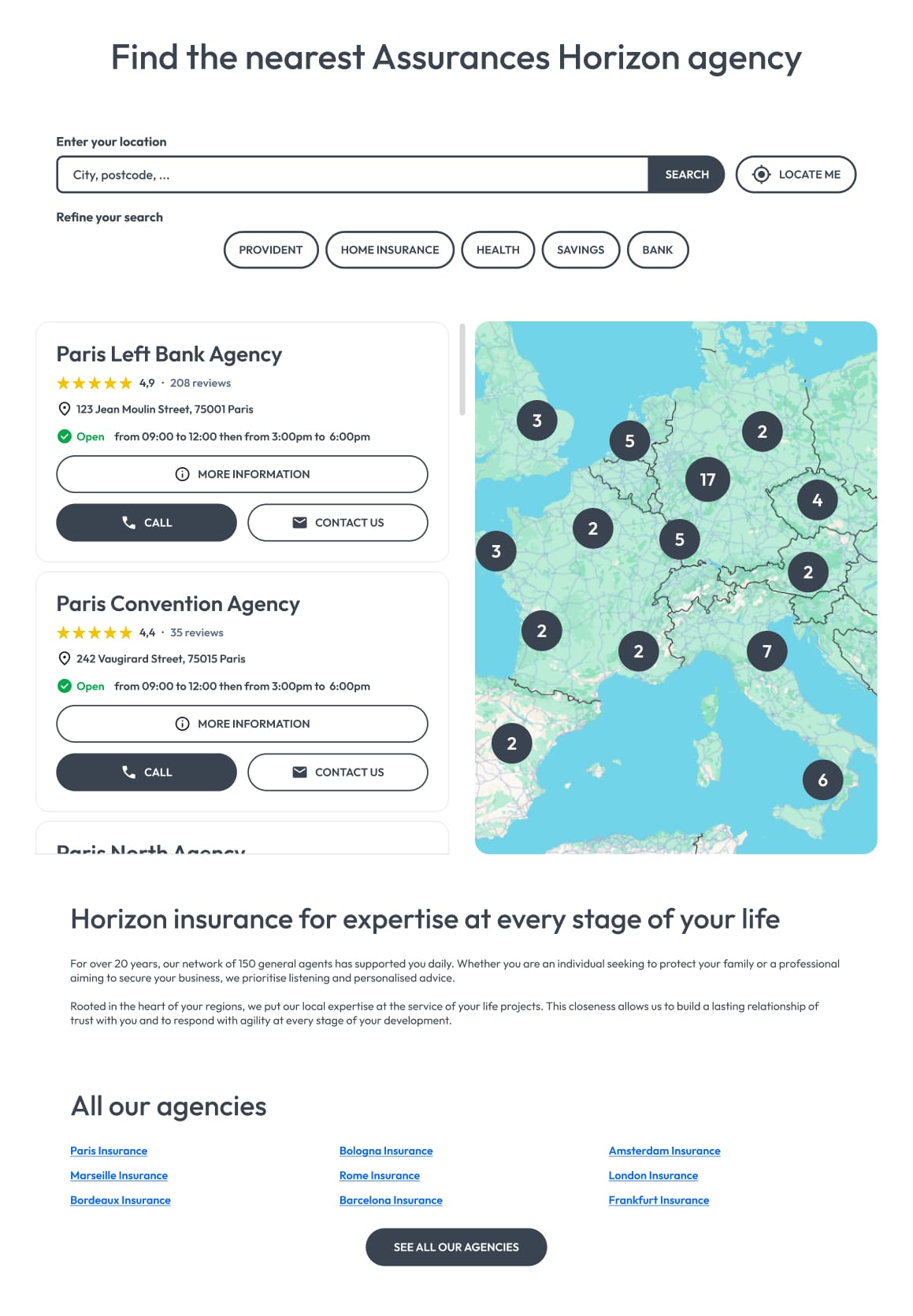
The store locator’s search page aims to help users find an outlet in just a few clicks. This interface must be clear and technically glitch-free so visitors enjoy a seamless user experience.
An effective search page always has the following key elements:
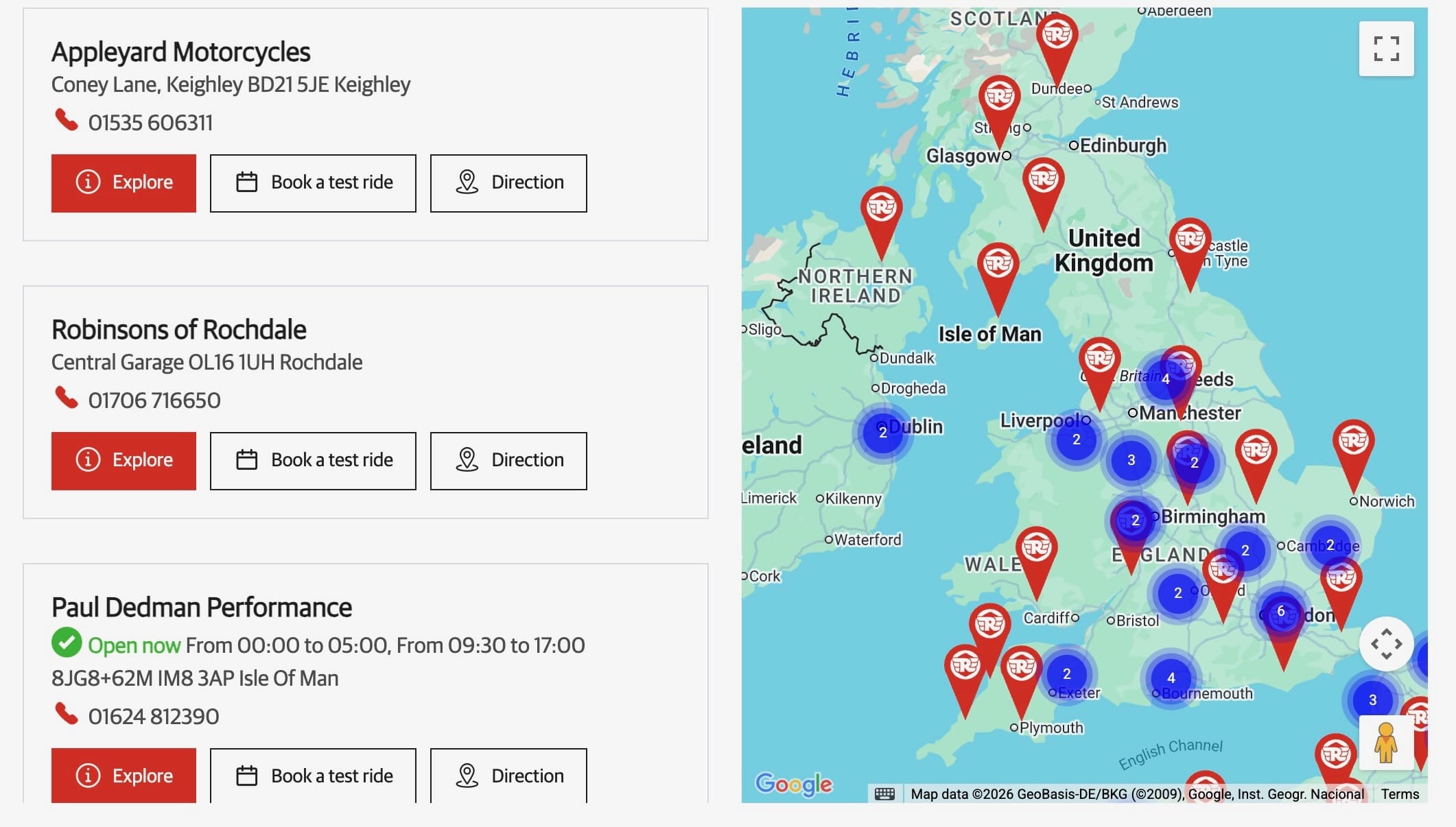
- A search bar: The search bar must be intuitive; users must be able to enter the town and/or the postcode. The integration of an auto-fill function and a “Near Me” geolocation button means users don’t have to keep tapping away on their keyboard.
- Dynamic mapping: This interactive map is integrated via an API such as Google Maps or Mapbox, and instantly displays a geographical visual showing your outlets in a given location. For densely located networks, you can cluster outlets (the map pointer displays a number) to keep the information clear and avoid visual overload.
The list of establishments: in the form of a list or by clicking directly on the pointers, so users can easily find all your outlets, thanks to a link that routes to their respective local pages.
The search page must also factor in SEO to improve the store locator’s search engine ranking.
To do so, you can optimise your store locator’s pages with:
- Optimised text blocks: Use these for content about your company, your values, specific products, and services you offer. Remember that quality content is a major SEO booster. These blocks should be relevant, well-structured, and contain sector-specific keywords to guide search engines. However, keyword integration must sound natural and fluid, as odd-sounding keyword-stuffing could be penalised by Google.
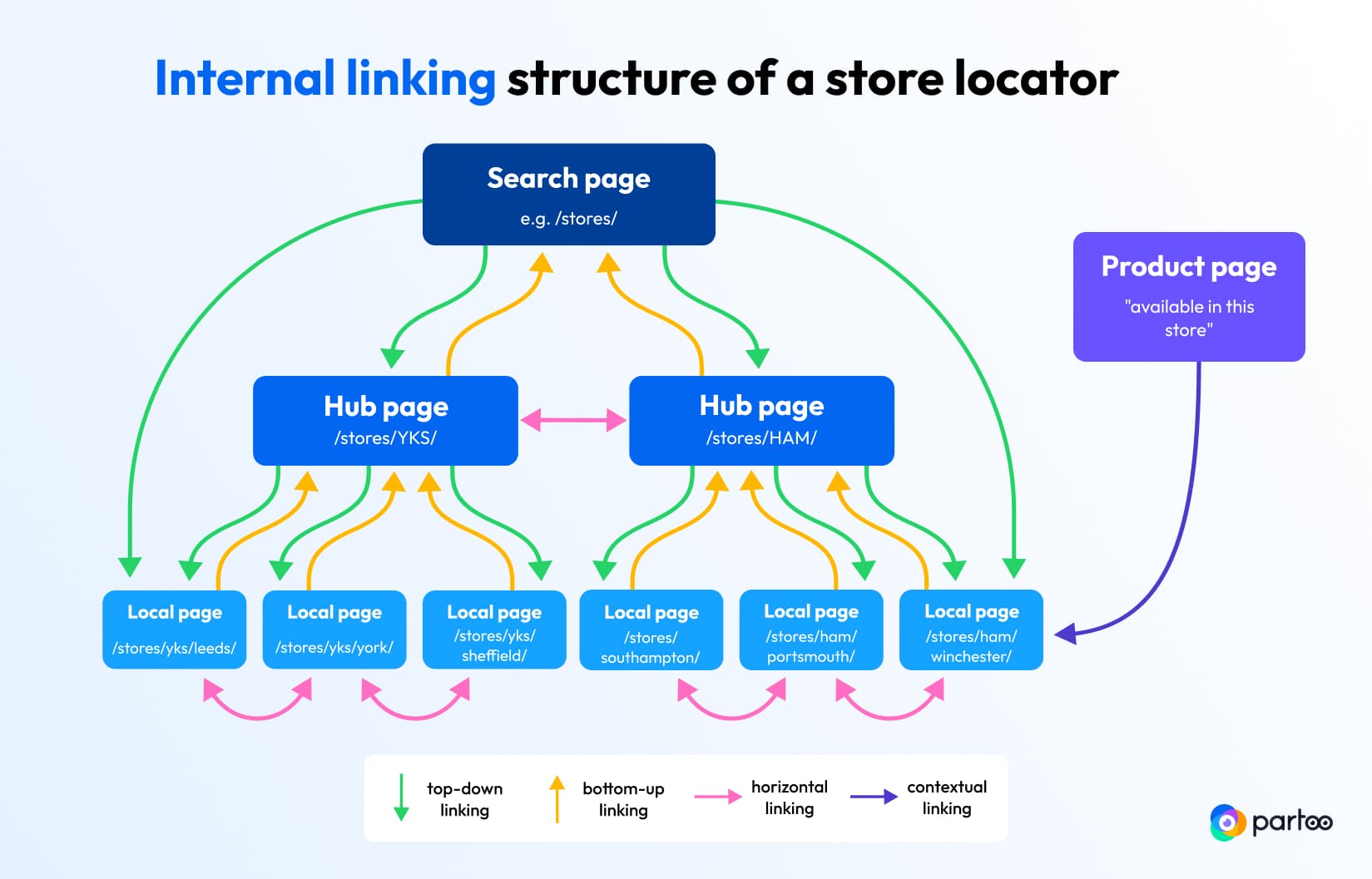
- Internal link blocks: This involves linking your pages to one another for a coherent structure that makes browsing easier for users and search engine bots. To do this, you can add links to your regional hubs (for example, “Our stores in Brittany”), to boost SEO authority throughout your site.
Tier 2: The hub page
The hub page plays a key role in strengthening local SEO! Although it doesn’t need to be included in a store locator’s structure, it acts as a strategic intermediate page by grouping outlets according to their location or the service offered.
A hub page creates multiple entry points and captures queries that the search page may miss.
There are two types of hub pages:
- The location-based hub page: it includes all the outlets in a specific area, whether a region, county, or city (such as “Our stores in Somerset”). It will boost the ranking for broader queries, plus cover surrounding areas where you may not necessarily have a physical presence.
- The service page: necessary for niche SEO. It targets specific intentions such as “windscreen repair in Portsmouth” or “hair colourist in Poole”. It’s thanks to these types of pages that you can reel in users who have an immediate, specific need.

Partoo’s tip
Don’t limit yourself to the areas where your outlets are located. Create pages for locations near your establishments to capture traffic from neighboring cities and expand your digital catchment area.
Don’t limit yourself to the areas where your outlets are located. Create pages for locations near your establishments to capture traffic from neighboring cities and expand your digital catchment area.
Tier 3: The local page
Also called the outlet or establishment page, this is the last step in the funnel, and probably the most crucial for converting online users. The local page should be designed as a fully-fledged page with all the essential information about your outlets. Regardless of the size of your network (10 or 1000 outlets), each establishment must have its own dedicated local page.
The local page contains all the information from your Google Business Profile (formerly Google My Business). This makes it a strategically useful copy of your Google listing but visible on your site.

Do you know?
With Partoo’s Presence Management, you can instantly sync data from your Google listing and local pages for maximum consistency!
With Partoo’s Presence Management, you can instantly sync data from your Google listing and local pages for maximum consistency!
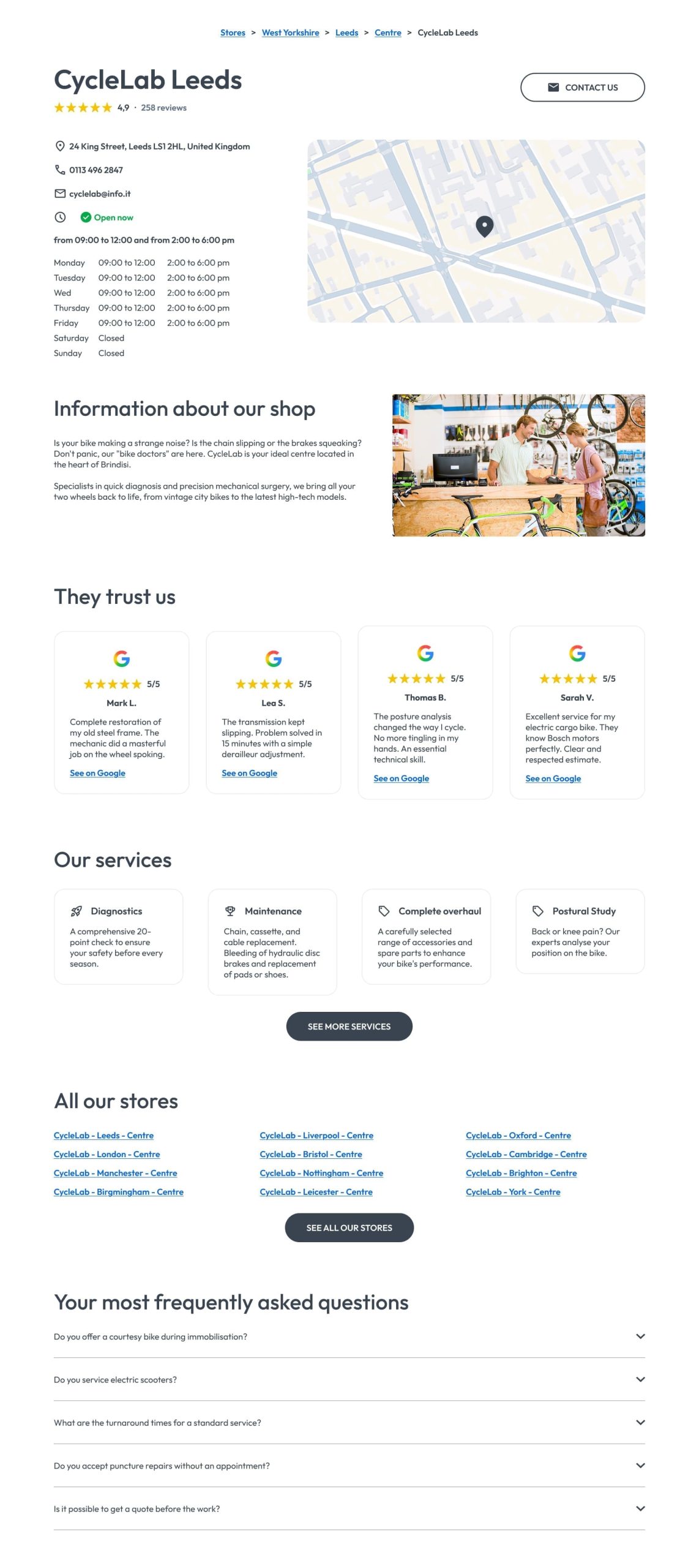
To be truly effective and boost your local SEO as well as your GEO, the local page must contain:
1. Essential information about the outlet
The page should display the following information to reassure the customer:
- the establishment’s name;
- the precise address (street, postcode, city);
- phone number;
- opening hours;
- photos;
- services available.
This data must be kept up to date, as inaccurate details are the main reason consumers lose trust.
2. Calls to Action (CTA)
Never leave a visitor without a solution, as this could harm the user experience (UX). Your local page should have clear and customisable call-to-action (CTA) buttons. Whether it’s to “Make an appointment”, “Request a quote”, “Reserve a product”, or simply get “Directions” via Google Maps, each click must bring the user closer to your physical outlet.
3. Engagement and trust-building modules (SEO & GEO)
If you want to appeal to online users and GenAI search engines, your local pages must have fresh, unique content. To do this, highlight:
- Customer reviews: Display your Google reviews to provide immediate social proof. A positive customer review is often the final push that gets a customer to your store.
- Branch news: By syncing your Google Posts (promotions, events), you show that the store is alive and kicking.
- A local FAQ: Anticipate users’ queries by answering frequent questions about your establishment. FAQ content is also used by AI when responding to complex queries, and will increase your chances of appearing in GenAI results.
Partoo helps you roll out an effective Store Locator!
- Increase traffic and visits to your business
- Centralise all your business data
- Improve your visibility on both traditional and AI-powered search engines

A well-thought-out store locator structure is a critical bridge between your customers and your outlets. By optimising each tier, you will be more visible to search engines and ensure online users enjoy a seamless journey that turns a digital intent into a physical visit.
Source*: Goodays.co

By Partoo
The local customer experience platform built for your network
Transform the customer experience across your businesses with AI
Stay one step ahead!
Download the 2026 Barometer on online presence and e-reputation of businesses and gain practical insights to increase your chances of being cited by AI.
Subscribe to our newsletter
Receive our best articles and practical guides directly in your inbox every month