



 Help Center
 How to get help
How do you add attributes to your Google listing?
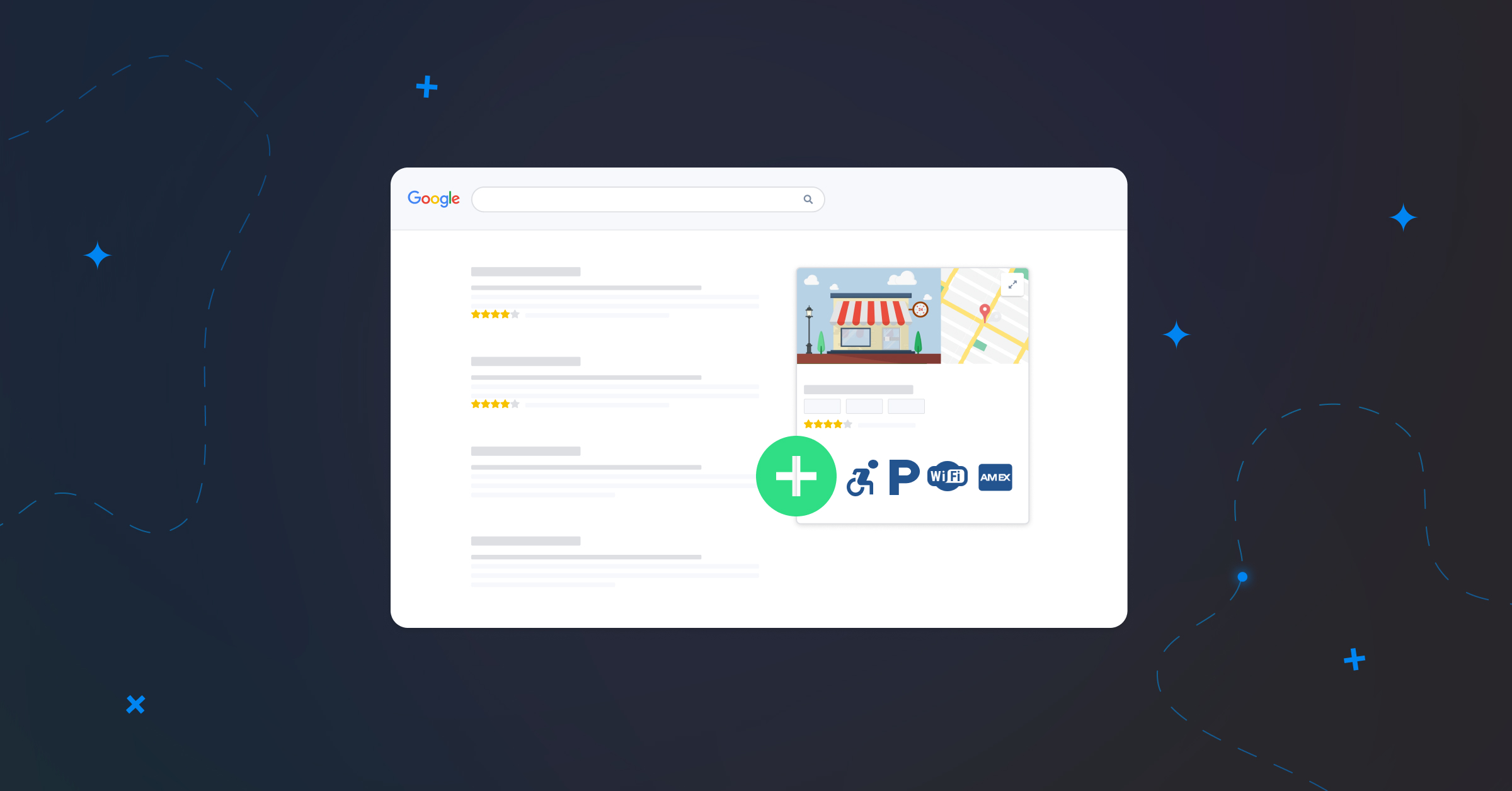
Table of contents
Displaying the right attributes on your Google listing can be make-or-break for a company’s local SEO. So, what are the different attribute catogories? How do you choose the right ones? Read on to find out all you need to know!
What is an “attribute” on Google My Business?
Google listing attributes highlight your business’s key features, providing your customers with valuable additional information. They often take the form of pictograms or labels.
In practical terms, these attributes help Google display your business more often to users searching for what you offer. For example, when someone searches for “bar with Wi-Fi” or “pizzeria with terrace”, your establishment has a better chance of appearing higher up in search results if you’ve added the corresponding attributes.
Adding attributes is also a great way to optimise your listing and send positive signals to Google. You’ll be showing the search engine that your listing is complete and up to date, which will in turn boost your local SEO.

How do you add attributes to your listing?
To add attributes to your listing, log in to your Google My Business editing interface.
Go to your business listing:
- By searching for “my business” in Google search.
- Or by clicking on the “Company” button on the Google Maps app.
And click on “Edit Listing”.

In the edit menu, click the “More” tab to see the available attributes for your core business category. You can select as many attributes as you like from each menu.


Not sure if you’ve chosen the right attributes?
No worries! You can edit your listing’s attributes and complete your company information whenever you like. Google occasionally adds new attributes, so it’s wise to keep an eye on the available options and add any that apply.
No worries! You can edit your listing’s attributes and complete your company information whenever you like. Google occasionally adds new attributes, so it’s wise to keep an eye on the available options and add any that apply.
What are the different attribute categories?
The list of available attributes varies according to each establishment’s sector and, therefore, the business category you chose. For example, a restaurant won’t use the same attributes as a garage.
Google decides what attribute categories are available, so you can’t force it to display an attribute that doesn’t match your chosen category.
There are two general types of attributes: objective attributes (which you can control) and subjective attributes (which are usually determined by your customers).
Objective attributes
The owner of the Google My Business listing can modify these attributes and provide objective information about an establishment.
They notably include:
- Accessibility attributes to indicate if the branch is wheelchair-friendly, if there is a lift, parking, etc.
- Customer attributes such as whether the outlet is adult-only, family-friendly, LGBTQ-friendly, etc.
- Payment attributes that specify the types of payment accepted.
- The scheduling attributes to indicate how you can make an appointment or reservation.
- Service attributes for services such as Wi-Fi, lockers, or restrooms (NB Google uses American terms).
- The offer attributes largely depend on your listing’s category and, therefore, your sector (food & beverages, automotive, etc.)
- Emergency help attributes for possible assistance for refugees or the availability of free products.
- Recycling attributes, which specify whether your facility collects recyclable materials.
- Strength attributes to highlight what sets your establishment apart (roof terrace, fireplace, live sports broadcasts, etc.).
- Health and safety attributes, which proved particularly useful during the Covid-19 pandemic (staff wear a mask, temperature check required, etc.)
- Language attributes to indicate the languages spoken in your establishment.
Subjective attributes
These are less common, determined according to reviews left by Internet users and can’t be modified by the listing’s owner. They are based on your customers’ experience with your business.
They are, for example:
- The quality attributes relating to a service or product offered by the establishment.
- Ambience attributes, for example “casual” or “party atmosphere”.

Rank Higher on Google: Optimise Your Listing
Discover the complete guide to Google Business Profile optimisation, featuring exclusive expert advice and actionable checklists to boost your local visibility.
Below is a non-exhaustive list of attributes that exist on Google My Business.
Just remember, some attributes are only available for certain business categories, so may not be displayed as an option.
Accessibility attributes
- Equipped for the hearing impaired
- Has a hearing loop
- Wheelchair hire (manual or electric)
- Has a wheelchair-friendly lift
- Has a wheelchair-accessible entrance
- Has wheelchair-accessible parking
- Offers wheelchair-friendly seating
- Has disabled toilets
Add PRM accessibility attributes to your Google listings
Adding your accessibility attributes is essential so that people with reduced mobility (PRM) can filter search results and find suitable establishments via Google Maps. Just follow Google’s instructions to add PRM attributes.
Adding your accessibility attributes is essential so that people with reduced mobility (PRM) can filter search results and find suitable establishments via Google Maps. Just follow Google’s instructions to add PRM attributes.
Customer attributes
- Family-friendly
- Child-friendly
- LGBTQ+ friendly
- Transgender-friendly
Scheduling attributes
- Accepts new patients
- Reservations accepted
- Appointment required
- Membership required
- Booking recommended
- Reservation required
- Prescription required
- Screening reserved for certain patients
- Appointment required for COVID-19 screening
Emergency help attributes
- Employs refugees
- Accepts donations
- Offers free products or services
- Needs volunteers
- Offers accommodation for refugees
Attributes provided by outlets
- Identifies as woman-owned
Presence Management
- Update your information effortlessly
- Completion guide and suggestions
- Distribute on all the platforms that count
Offer attributes
- Offers passport photo services
- Offers repair services
Offer attributes (Food & Beverages)
- Ready meals
- Healthy products
- Serves alcohol
- Offers a salad bar
- Serves beer
- Serves coffee
- Serves cocktails and appetisers
- Offers vegetarian dishes
- Offers an “all-you-can-eat” menu
- Has a Braille menu
- Offers a kids’ menu
- Serves a variety of dishes in small portions
- Offers organic dishes
- Offers vegan dishes
- Offers “happy hour” food
- Offers “happy hour” drinks
- Offers halal food
- Offers late-night food
- Offers spirits
- Serves wine
Offer attributes (Automotive)
- Offers car wash
- Offers car rental
- Offers repair services
- Offers oil changes
Service attributes
- Dogs allowed
- Suitable for children
- Offers childcare
- Highchairs available
- Wi-Fi (Free or Paid)
- Has restrooms
- Has gender-neutral restrooms
- Has a pool
- Outdoor
- Indoor
- Has a sauna
- Has a volleyball court
- Has an on-site bar
Available service attributes
- Offers drive-through
- Offers curbside pick-up
- Offers delivery
- Offers contactless delivery
- Same day delivery
- Offers takeout (NB Google uses the American term)
- In-store shopping available
- In-store pickup of online orders
- Has a terrace
- Outdoor services
- On-site services available
- Dine-in available
- Offers online classes
Food service attributes
- Serves breakfast
- Serves brunch
- Serves lunch
- Serves dinner
- Offers catering
- Counter service available
- Serves desserts
- Has seating
- Outside food allowed
Payment attributes
- Cash only
- Cheques accepted
- Accepts meal vouchers
- Accepts Bimpli meal vouchers
- Accepts Chèque Déjeuner meal vouchers (specific to France)[CS3]
- Accepts Sodexo meal vouchers
- Accepts Ticket Restaurant meal vouchers
- Accepts credit cards
- Accepts debit cards
- Accepts contactless payments
- Credit cards accepted
- American Express
- China Union Pay
- Diners Club
- Discover
- JCB
- MasterCard
- VISA
Recycling attributes
- Offers electronics recycling
- Offers can recycling
- Offers plastic bottle recycling
- Offers glass bottle recycling
- Offers ink cartridge recycling
- Offers battery recycling
- Offers plastic bag recycling
- Offers clothing recycling
Health and safety attributes
- Mask required
- Temperature check required
- Staff wear mask
- Employee temperature checked
- Plexiglass at checkout (NB Google uses the American term)
- Surfaces disinfected between customers
Strength attributes
- Has a cabaret
- Has a fireplace
- Hosts concerts
- Has bar games
- Offers karaoke
- Offers quiz nights
- Hosts performances
- Good for watching sports
- Has a rooftop terrace
- COVID-19 testing site
Assistance attributes in other languages
- German
- English
- Arabic
- Yue Chinese
- Korean
- Haitian-Creole
- Spanish
- Filipino
- French
- Hindi
- Italian
- American Sign Language
- Mandarin Chinese
- Polish
- Portuguese
- Romanian
- Russian
- Ukrainian
- Vietnamese
The local customer experience platform built for your network
Transform the customer experience across your businesses with AI
Continue reading ...
Google My Business keywords & why you should use them
Google My Business is the platform that simplifies complex marketing strategies when it comes to…
How to choose the right category for your Google listing?
Google My Business offers a variety of tools designed to develop your business’s online presence…

How to add and optimise Services to your Google Business Profile listing
Did you know that before going to a store, 86% of customers do research online?…
Subscribe to our newsletter
Receive our best articles and practical guides directly in your inbox every month